LOL Diagram | Scenario 4: Sitting On A Swing
Explore LOL Diagram | Scenario 4: Sitting On A Swing as an interactive EJS simulation for mechanics.
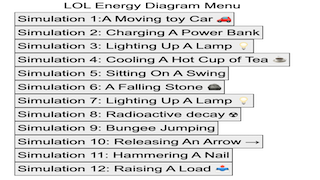
1. Watch or Launch
Launch the Interactive
Open the simulation, adjust the controls, and compare what changes on screen before answering the concept-check questions.
2. Big Ideas
What Students Can Learn
- Identify the variable being changed and the quantity being observed.
- Use the graph, labels, or numerical display as evidence.
- Compare two settings before forming a conclusion.
- Explain the pattern using the relevant physics concept rather than a visual impression alone.
Guiding Question
What changed, what stayed constant, and what evidence from the model supports your explanation?
3. Try the Investigation
Make a Prediction
Choose one control in the model and predict how the displayed outcome will change.
Change One Variable
Adjust only that control. Keep the other visible settings as constant as possible so the comparison is meaningful.
Use Screen Evidence
Record what changed in the graph, numerical label, motion, field, or diagram. Use that evidence rather than only saying it looked different.
Explain the Relationship
Compare the before-and-after cases and write the physics relationship that explains the observed difference.
4. Teacher Notes
Lesson Use
Use the model for a short predict-observe-explain cycle. Students should name the control they changed, the physical quantity they observed, and the evidence that supports their explanation.
Discussion Prompts
Ask students to compare two settings: What changed? What stayed the same? Which graph, label, motion, force, field, or numerical value is the strongest evidence for the physics claim?
Teaching Moves
Keep the focus on one-variable comparisons and screen evidence before introducing formal vocabulary. This helps students link the visual model to the underlying physics relationship.
5. Concept Check
These questions are generated from the topic and the concept illustrated by the simulation. Use them after students have explored the model.
Concept Score
Correct first attempts build a streak and unlock higher point multipliers on this device.
1. What is the main value of using LOL Diagram | Scenario 4: Sitting On A Swing as a simulation?
2. Which habit makes the investigation more reliable?
3. What should students use as evidence in their explanation?
4. Why is comparing two settings useful?
5. What is a strong final response after using the simulation?
Expert Challenge
Unlocks after 3 correct concept-check answers on this page.
1. In a LOL energy diagram interactive, what is the best expert check before accepting the final bars?
2. A student makes thermal energy disappear in the final LOL diagram. What feedback fits the interactive?
3. What makes a LOL answer stronger than a generic energy statement?
4. If the model shows less kinetic energy at the end, what should students inspect?
5. Why is the system boundary important in a LOL diagram?
7. Learning Pulse
Anonymous activity shows this resource is being discovered, revisited, and used by learners in different places.
Where Recent Learners Are From
Country or region is inferred anonymously from server location headers when available. No names, accounts, or IP addresses are shown.